
Step by step
How to use PFAPA Care
From the first profile to the history: discover how to organize your family’s records.
Create a child’s profile
Create and manage a profile for each child. Keep their records organized in one family space.
Start by creating a profile before adding the first records.
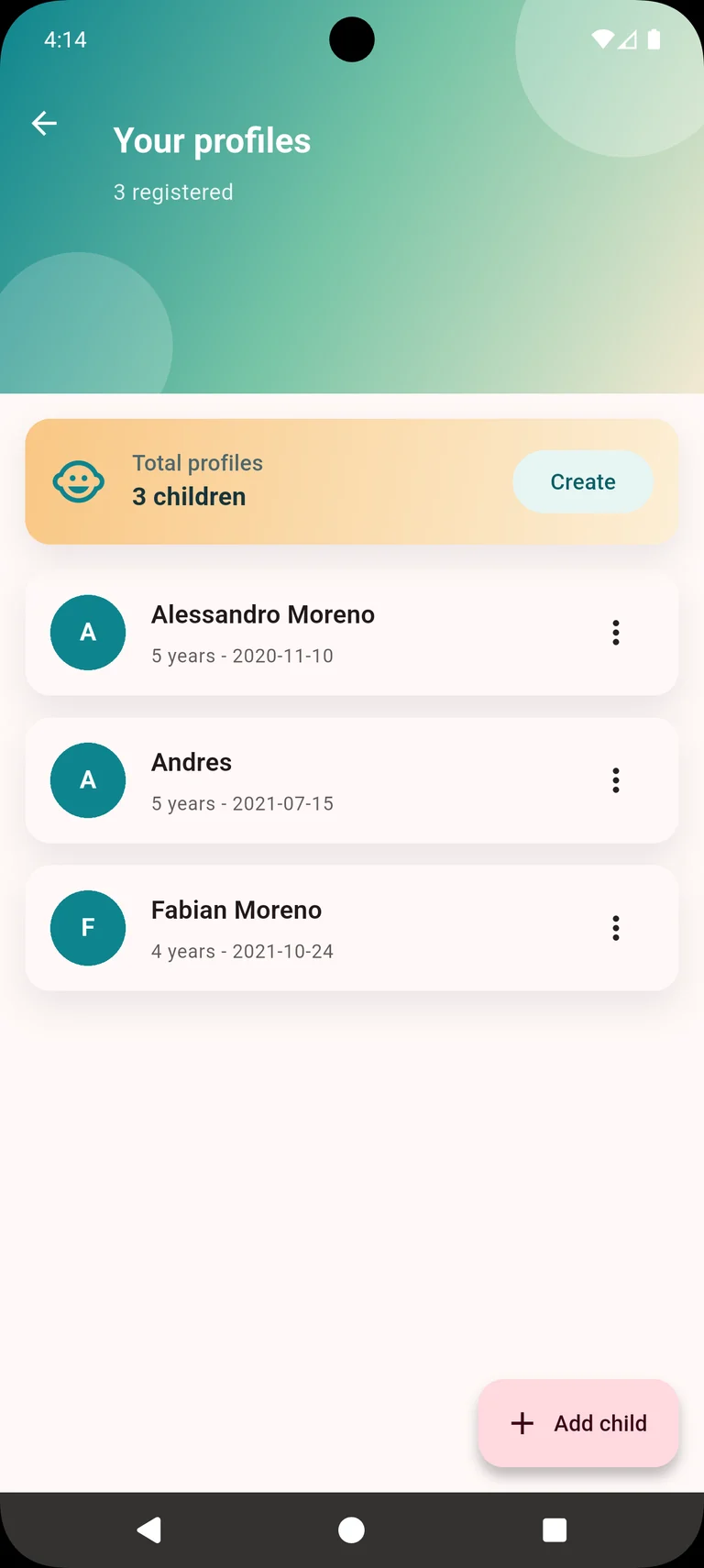
A profile to organize each child’s records. Record an episode
Select the child, enter the start date, and record symptoms. You can add notes to remember details about the episode.
Notes are optional: add any observations you want to keep.
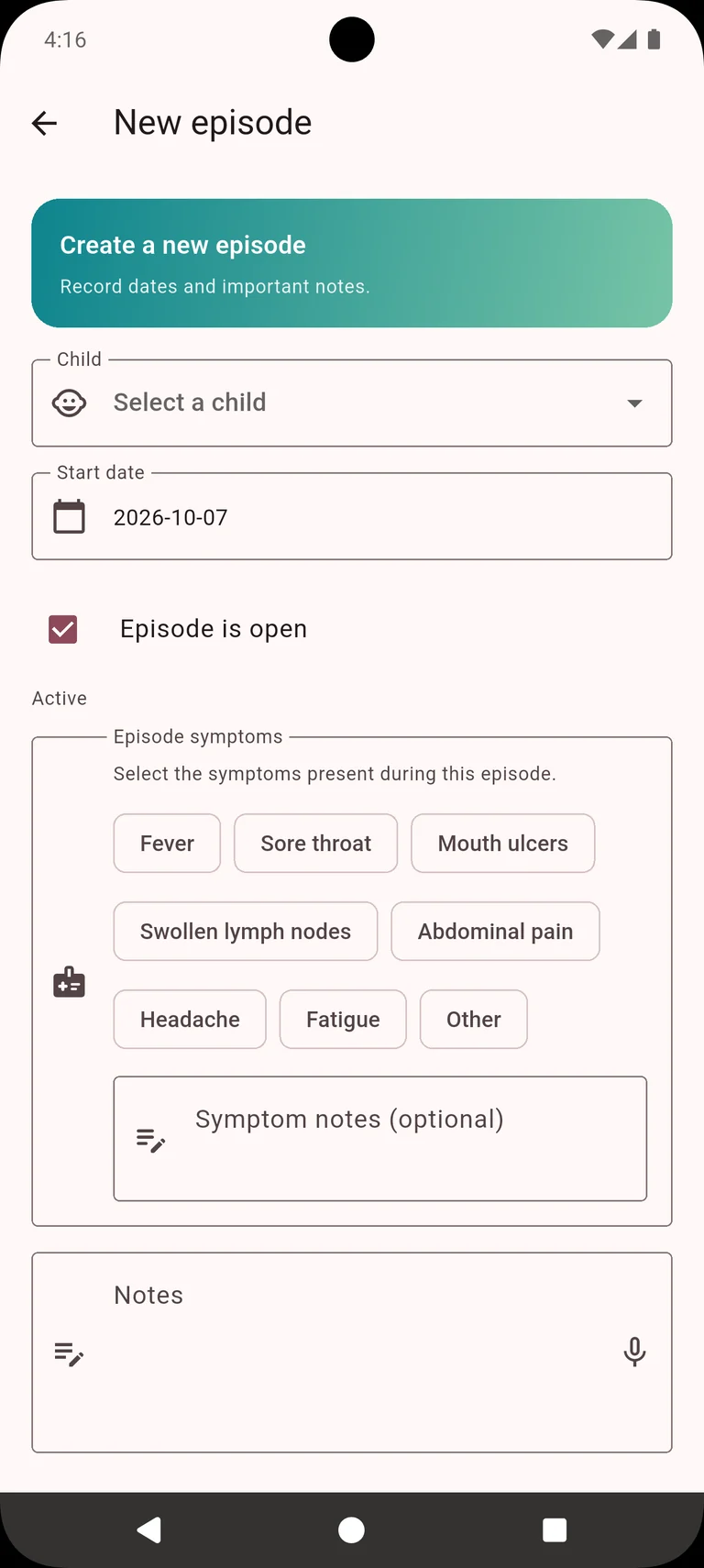
Profile, start date, symptoms, and notes in one record. Add temperature readings
Record each temperature reading with its date and time. Add notes if you want to keep more context about the measurement.
Save the date and time of the reading to keep your records organized.
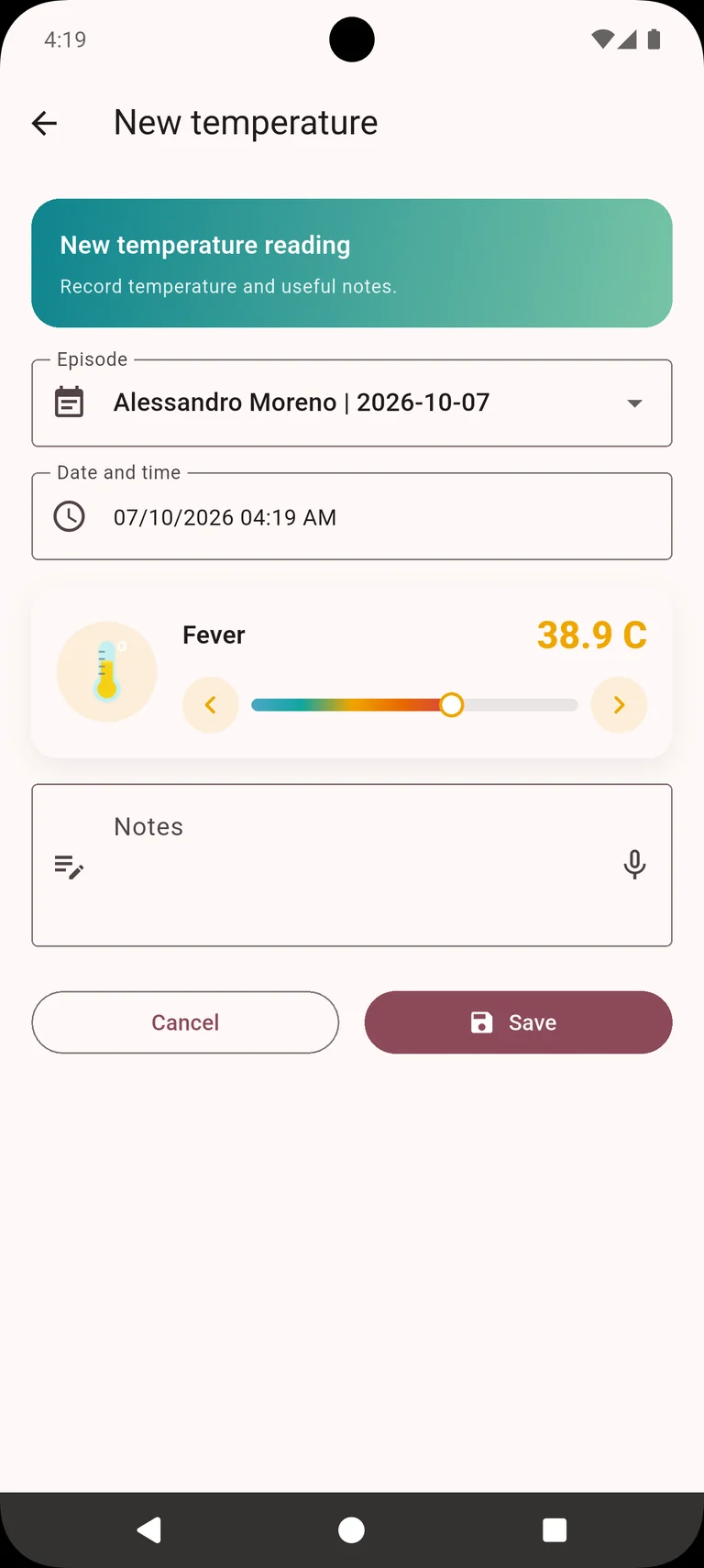
Each reading with its date, time, and notes. Browse episodes
Review episodes in the list or calendar. Check past dates and the time between episodes.
Use the list to browse records and the calendar to see when they happened.
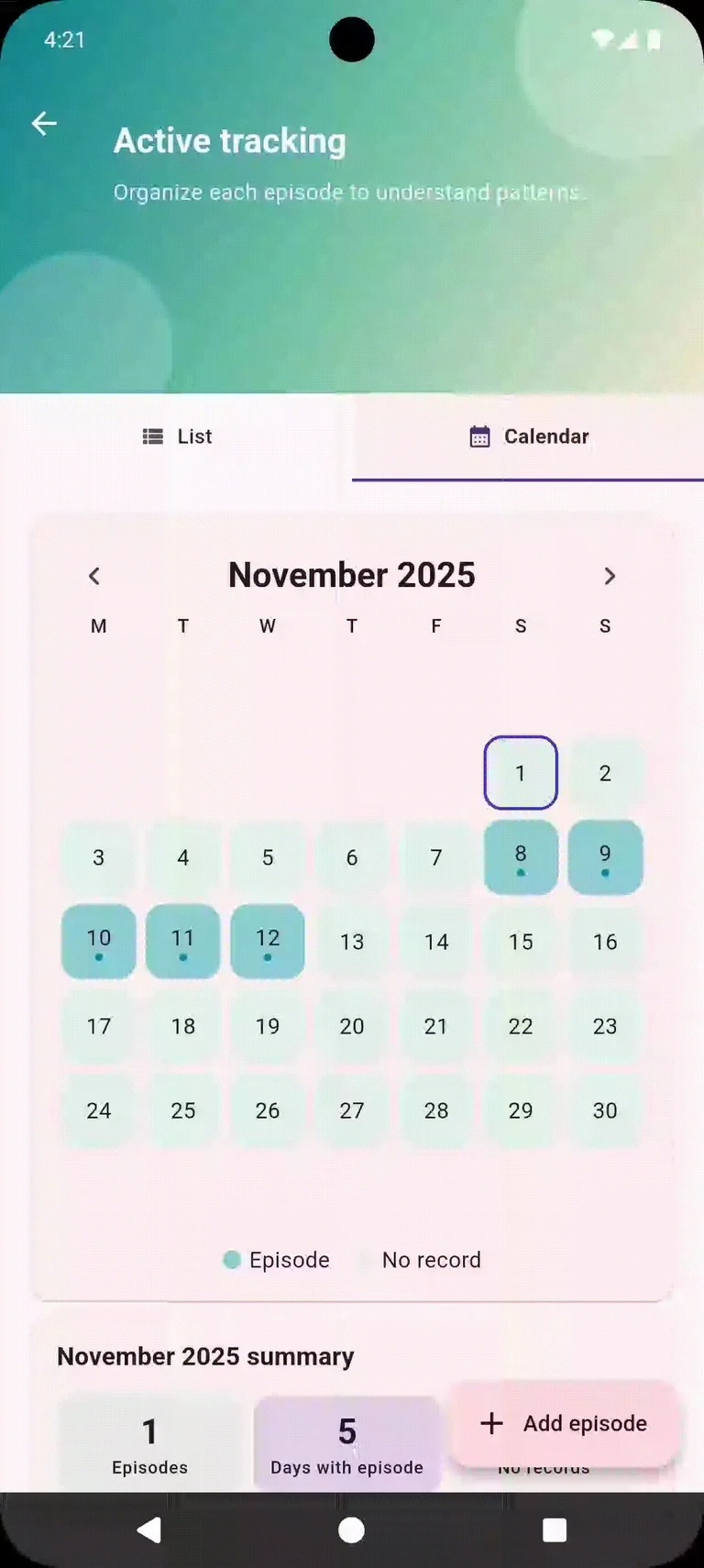
Two ways to review episode dates and intervals. View statistics in Reports
Open Reports and select the Statistics tab to explore information generated from your records. Keep your history handy for conversations with healthcare professionals.
Statistics summarize the data you enter and do not provide a medical diagnosis.
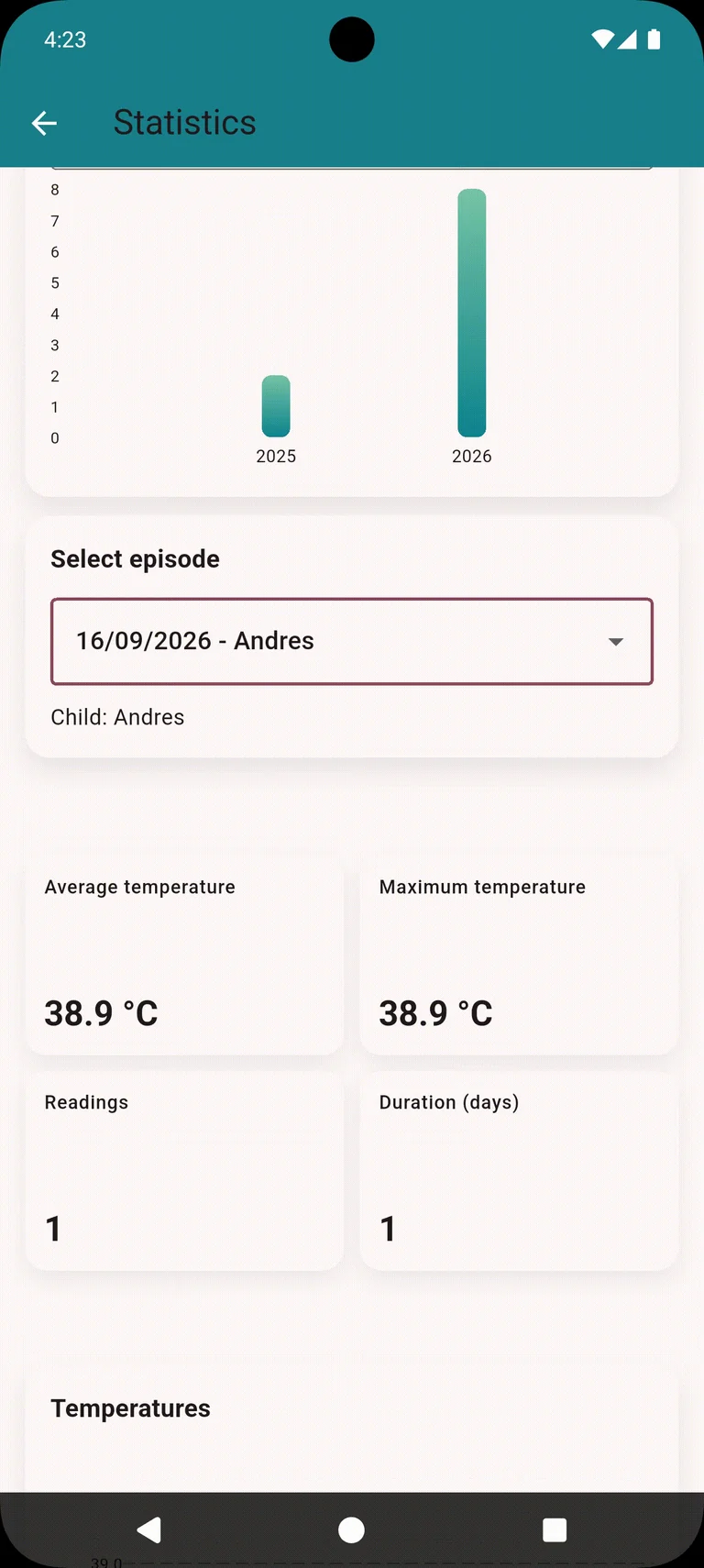
An overview of the information you have recorded. Generate a PDF report
In Reports, select the PDF Report tab. Choose the period, episodes, and whether to include symptoms, temperatures, notes, statistics, charts, and the annual calendar, then open the PDF preview.
The report summarizes the data you enter to support follow-up and conversations with healthcare professionals; it does not provide a medical diagnosis.
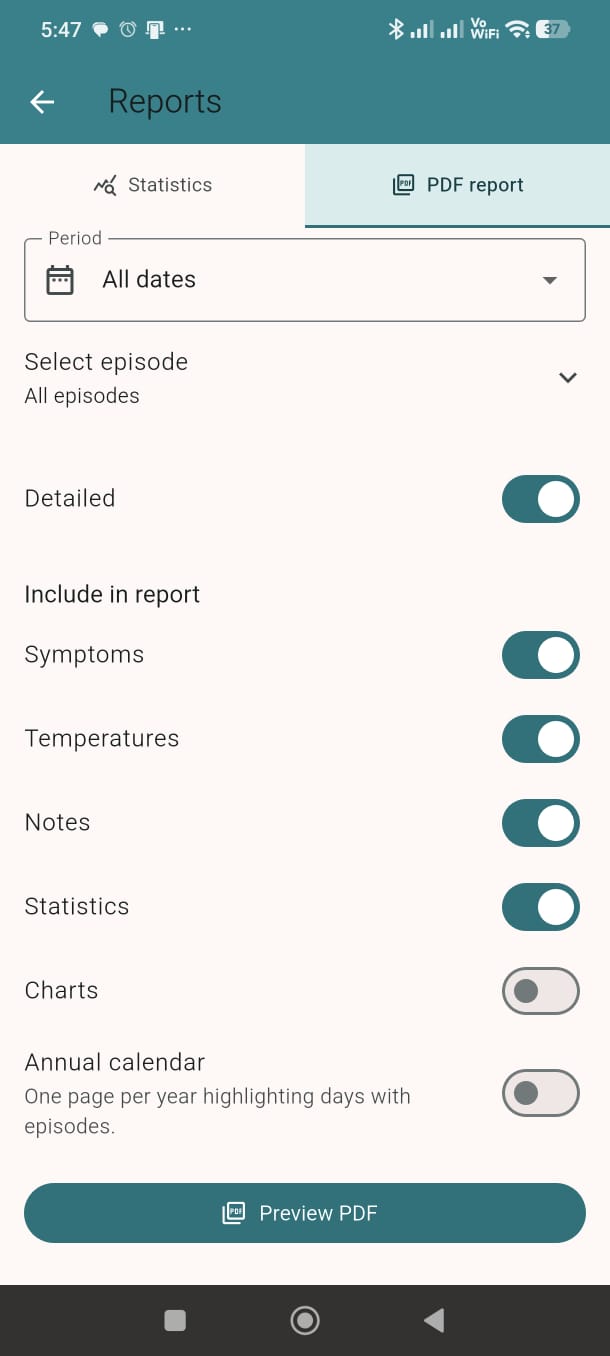
Customize the report content before opening the preview. Explore information and community
Access general information about PFAPA and browse experiences shared by other families in the community.
Other families’ experiences do not replace guidance from healthcare professionals.
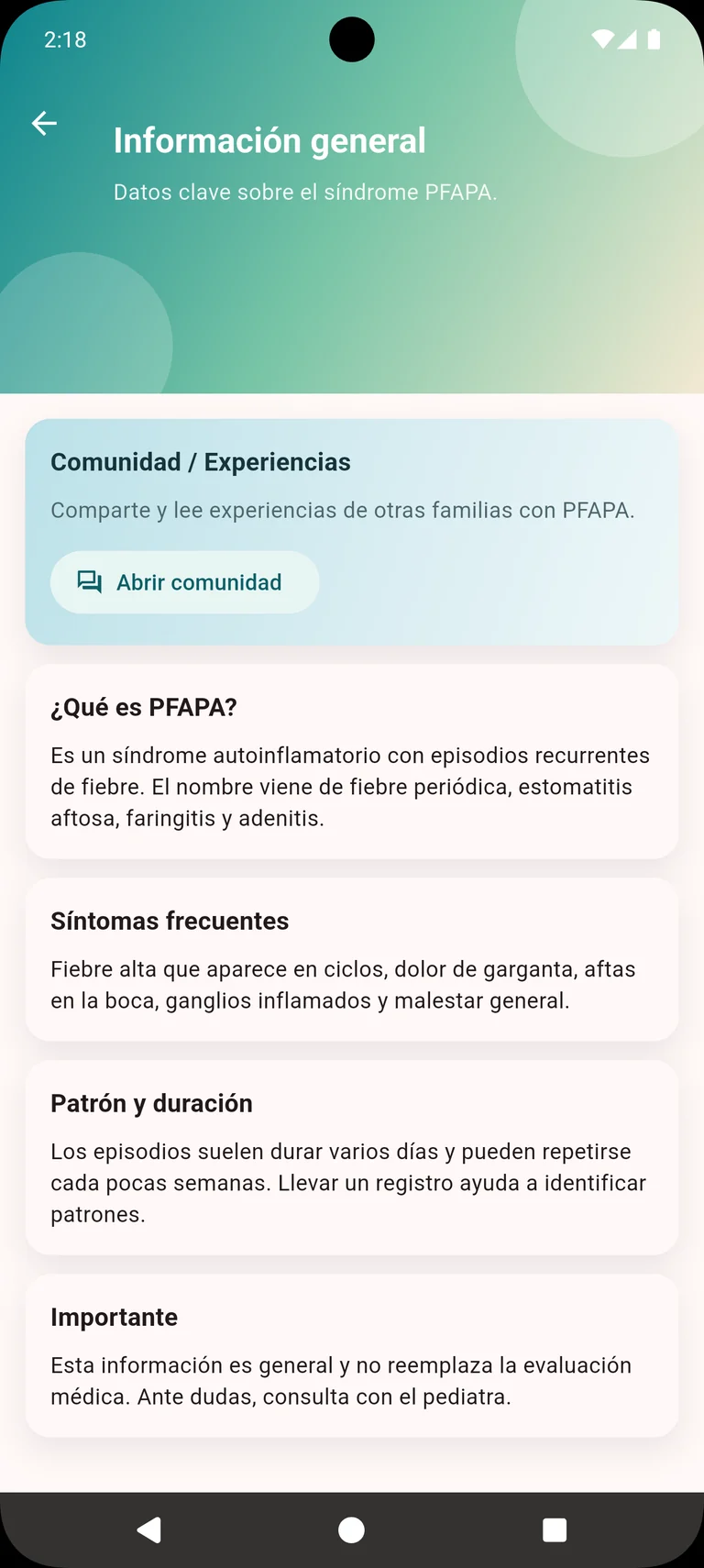
General information and shared experiences to support families. App screenshot shown in Spanish.
Frequently asked questions
What is PFAPA Care and who is it for?
It is a recording and organization app for adult parents, guardians and caregivers tracking their children’s fever episodes. It helps prepare a history for conversations with healthcare professionals.
What can I record?
You can create profiles, record episodes with a start date, symptoms and notes, and add temperature readings with dates and times.
Can I view a calendar and history?
Yes. The guide shows an episode list, a calendar, past dates and intervals between episodes.
Are statistics and PDF reports included?
Yes. In Reports you can view statistics and prepare a PDF by selecting the period, episodes and data to include: symptoms, temperatures, notes, statistics, charts and an annual calendar.
How do I share records with family?
You can create or join a private family group using a code. Group records may be visible to its members. Share the code only with trusted people and with appropriate authorization.
Which platforms and languages are available?
The app is available for Android and iOS through the official links on this page. The website is translated into Spanish, English, French, European Portuguese and German. Check your store listing to confirm the app’s languages.
Is it a personal diary and how is privacy handled?
PFAPA Care serves as a record diary for family tracking. Data is stored in the cloud and can be shared within the family group; it is not an exclusively local diary. Read the Privacy policy for data handling and account deletion options.
Does PFAPA Care provide a diagnosis?
No. It organizes the information you record and does not replace assessment, diagnosis or guidance from healthcare professionals.
Start organizing your records
Download PFAPA Care and create your family’s first profile.


PFAPA Care is a tracking and organizational tool. It does not replace professional medical evaluation, diagnosis, or guidance.